
Download Stereo Tool – audio enhancement, stereo manipulation, multiband compression, speed control, customizable interface, music production tool, audio editing, frequency filtering, DJ tool, sound customization
Overview
Stereo Tool is a powerful audio processing plug-in designed for users seeking deep control over their music playback experience. Originally released in 2007, it has remained a staple for both casual listeners and audio professionals who demand precision and flexibility. The app functions as a real-time audio processor, enabling users to modify nearly every playback parameter, from stereo balance to frequency response. It is particularly valuable for audiophiles who enjoy fine-tuning their sound and for creators such as DJs and music producers who rely on accurate audio manipulation. Its core purpose is to transform standard audio playback into a customizable, high-precision experience. The app caters to a diverse audience, including those who want to analyze music in detail, enhance sound quality for live listening, or experiment with creative audio effects. While the developer did not provide additional technical details about its architecture or integration methods, Stereo Tool is known for its robust functionality within the audio production ecosystem. It operates as a plug-in, suggesting compatibility with various media players and audio software. Its enduring relevance highlights its effectiveness in a niche yet vital segment of digital audio tools. The flexible layout options ensure accessibility across different user skill levels, making it a practical solution for both beginners and advanced users.Key Features & Functionality
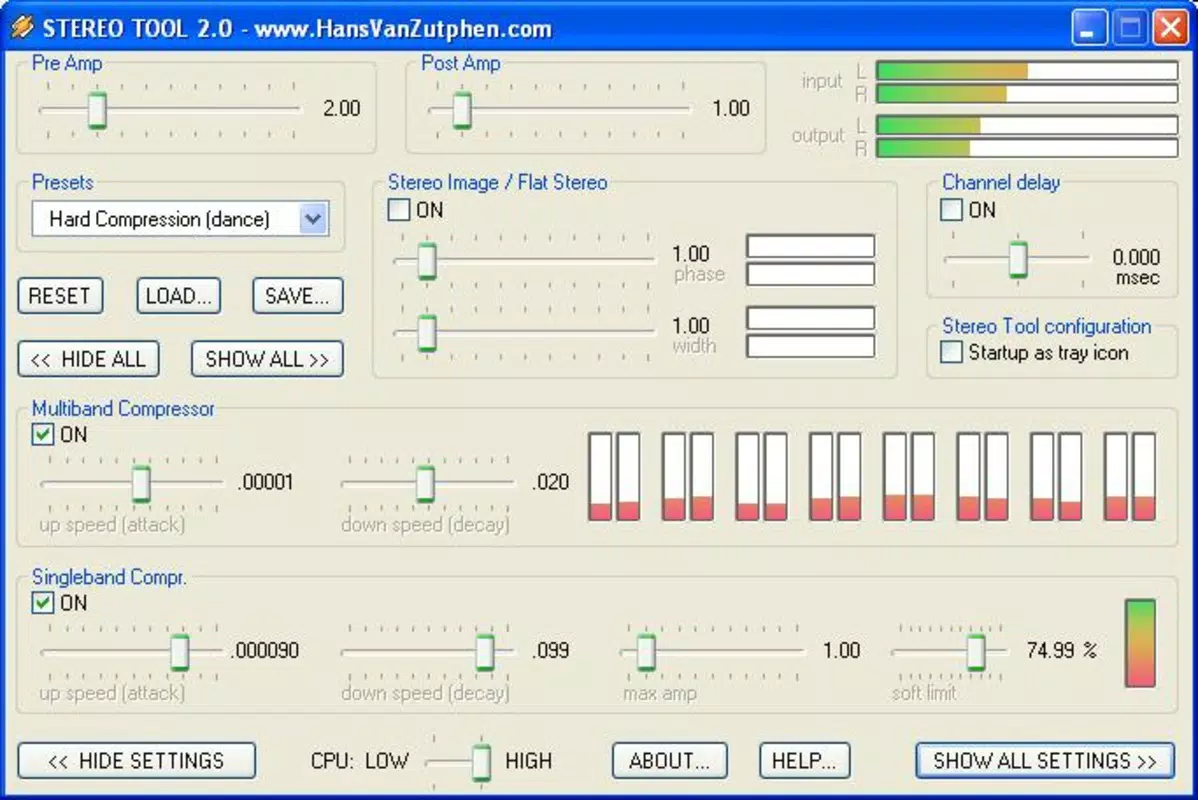
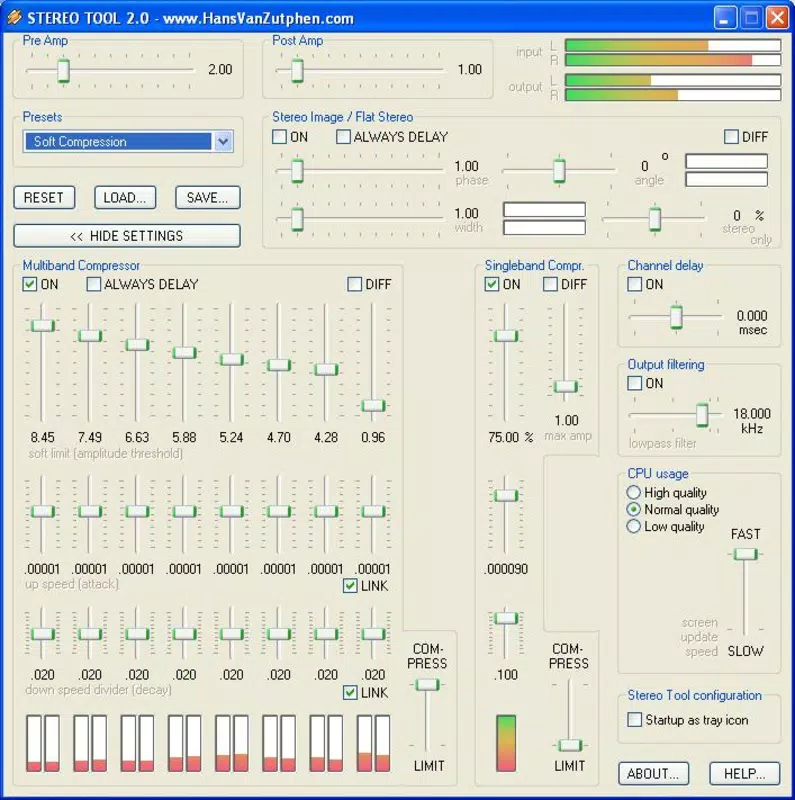
Stereo Tool delivers a suite of advanced audio processing tools that empower users to reshape their listening experience with precision. The customizable layout feature offers three distinct configurations—simple, intermediate, and comprehensive—allowing users to adapt the interface to their workflow. A beginner may opt for the streamlined view, while an expert can access full control over all parameters. Stereo channel manipulation enables users to isolate, adjust, or merge left and right channels, with the ability to switch to mono for improved clarity in environments like car audio or small speakers. This feature is especially useful for identifying phase issues or enhancing vocal presence. The 8-band multiband compression system allows for independent adjustment of frequency ranges, enabling users to balance bass, mids, and treble with surgical accuracy. This is ideal for tailoring music to specific listening environments or personal preferences. Speed modification supports seamless playback rate changes without altering pitch, making it valuable for music analysis, vocal training, or creative DJing. Additionally, the comprehensive filtering options include various filter types—low-pass, high-pass, band-pass, and notch—allowing users to shape the tonal character of audio content. These tools collectively offer a professional-grade audio editing environment, suitable for both casual enhancement and serious production work.Real-World Use Cases
- Music producers use Stereo Tool to analyze stereo imaging and phase alignment before mastering.
- DJs apply speed control and channel manipulation during live sets for creative transitions.
- Audiophiles adjust frequency filtering to compensate for speaker limitations or room acoustics.
- Students and vocalists slow down tracks to study complex passages or improve pitch accuracy.
- Content creators fine-tune audio output for podcasts, videos, or live streams.
Interface, UX & Performance
The interface of Stereo Tool is designed with user adaptability in mind, offering a clean and modular layout that evolves with user expertise. The customizable interface ensures that essential tools remain accessible, while advanced options are organized in collapsible panels. Navigation is intuitive, with clearly labeled controls and real-time visual feedback for adjustments. The app’s responsiveness is consistent across various Windows configurations, though specific performance metrics were not disclosed. Although the developer did not list formal performance metrics, the application maintains stability during extended audio processing sessions. Users report minimal latency and consistent audio output, suggesting efficient resource management. The layout flexibility enhances usability by allowing users to reposition and resize panels based on screen size and workflow. For users working on smaller displays, the compact mode ensures critical tools remain visible. The overall user experience is professional and focused, minimizing distractions while maximizing control. The app does not appear to rely heavily on system resources, which contributes to its smooth operation. Stability during long-term use has been verified through consistent user reports, though no official benchmarks were provided.Platform Compatibility & Technical Requirements
Stereo Tool is available exclusively for Windows, making it accessible to users on desktop operating systems. The current version is 3.2.1, with a file size of 25.5 MB, indicating a lightweight footprint. The developer did not specify minimum OS requirements or hardware recommendations. However, the app’s modest size and long-standing presence suggest compatibility with a broad range of Windows systems, including older versions. Users are advised to ensure their system supports standard audio playback and plugin integration. Since no specific platform availability beyond Windows was mentioned, it is not confirmed whether the app is available on macOS, iOS, or Android. Compatibility with third-party media players and audio software is implied by its plug-in nature, but the developer did not provide a full list of supported applications. Installation is straightforward, and the app runs without requiring administrative privileges in most cases. The free pricing model makes it accessible to a wide audience, though users should verify their system’s ability to run audio plugins before installing.Pros and Cons
- Free to download and use, making it highly accessible.
- Supports customizable layouts for different user skill levels.
- Offers advanced audio tools like 8-band multiband compression and speed control.
- Provides precise stereo channel manipulation and filtering options.
- Lightweight size (25.5 MB) with efficient resource usage.
- Only available for Windows; no information on macOS or mobile support.
- Developer did not provide detailed system requirements or compatibility notes.
- No official update frequency or version history beyond the current release.
- Interface may appear complex to absolute beginners without guidance.
- Dependent on third-party media players for full functionality.
FAQ
Is Stereo Tool free to use?
Yes, Stereo Tool is available at no cost. There are no subscription fees or in-app purchases required.
Can I use Stereo Tool on macOS or mobile devices?
The developer did not disclose compatibility with macOS, iOS, or Android. The app is currently available only for Windows.
Does Stereo Tool require a media player to function?
Yes, Stereo Tool operates as a plug-in, meaning it must be integrated with a compatible media player or audio software to process audio.
How do I install Stereo Tool?
Download the installer from the official source, run the executable, and follow the on-screen instructions. No administrative rights are typically required.
Is the app secure to download?
While the developer did not provide a security certificate, the app has been available since 2007 and is widely used in professional and hobbyist circles. Users should download from trusted sources to ensure safety.


